
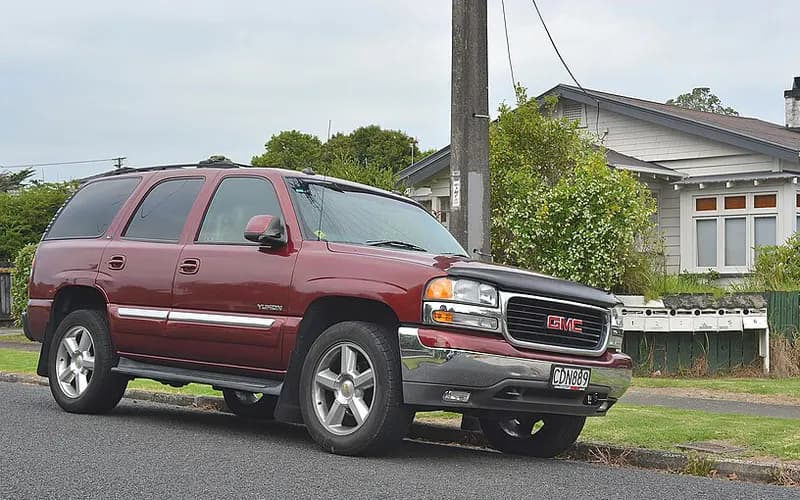
GMC Yukon 2000–2006
Common on this vehicle:Noise
Record by record
2 records state a cause or a remedy. Each record is shown as short labels in the order fault → finding the cause → correction. Press a label to narrow to the records that state it.
Read the records one by one (2)
Known issuesCD slow to play, CHECK CD error, CD stuck or clock resets to 12:00 (reprogram the radio, do not replace it)2
Manufacturer communication2004–2005 GMC FULLSIZE PICKUPS AND UTILITIES (YUKON) ・ 2005-10-01
CD issues: load the new software calibration, do not replace the radio
1Fault
Not stated
2Finding the cause
Not stated
3Correction
Repair
- Load the new software calibration.
Caution
- Do not exchange or replace the radio; the reference is bulletin 04-08-44-020A.
Read the sentences of the record
From the manufacturer’s document
- Applies to:Row for 2004-2005 Midsize and Fullsize Pickups and Utilities: CD issues.
- Repair:Load the new software calibration.
- Caution:Do not exchange or replace the radio; the reference is bulletin 04-08-44-020A.
Open this issue of GM TechLink ↗ The points above are read from an article of TechLink, GM’s monthly publication for dealership technicians. The article itself is not reproduced here.
- Remedy
- Truck Issues — Fix It Right the First Time (new issues in bold) 2004-2005 Midsize and Fullsize Pickups and Utilities – CD Issues Load new software calibration. Don’t exchange or replace the radio. 04-08-44-020A
Manufacturer communication2005 GMC YUKON ・ 2005-04-01
1Fault
- Customers may comment on a long CD load-to-play time, the CD ejecting with a CHECK CD error message, or the CD not returning to the previous track after an ignition cycle.
- The clock may reset to 12:00, or a CD may be stuck, not play or not eject, with no clicking noise or mechanical operation.
2Finding the cause
Possible causes
- A software anomaly within the radio has been found.
Steps to confirm (in the document’s order)
- Be sure the Tech 2 is updated with the latest software version.
3Correction
Repair
- Reprogram the radio with the updated software calibration, released with TIS satellite data update version 2.0, available February 7, 2005.
Caution
- Do not replace the radio for these conditions.
- Advise the customer that home-burned CDs must be burned with a "closed session" or the player will not read them, and that CDs should not carry adhesive paper labels, which may lift off in the player.
Read the sentences of the record
From the manufacturer’s document
- Applies to:The information applies to 2005 models with the CD player radio (RPOs UB0 or UB1), among them the 2005 GMC Envoy, Envoy XL, Envoy XUV, Savana, Sierra, Yukon, Yukon XL and Denali.
- Condition:Customers may comment on a long CD load-to-play time, the CD ejecting with a CHECK CD error message, or the CD not returning to the previous track after an ignition cycle.
- Condition:The clock may reset to 12:00, or a CD may be stuck, not play or not eject, with no clicking noise or mechanical operation.
- Caution:Do not replace the radio for these conditions.
- Cause:A software anomaly within the radio has been found.
- Repair:Reprogram the radio with the updated software calibration, released with TIS satellite data update version 2.0, available February 7, 2005.
- Confirm:Be sure the Tech 2 is updated with the latest software version.
- Caution:Advise the customer that home-burned CDs must be burned with a "closed session" or the player will not read them, and that CDs should not carry adhesive paper labels, which may lift off in the player.
Open this issue of GM TechLink ↗ The points above are read from an article of TechLink, GM’s monthly publication for dealership technicians. The article itself is not reproduced here.
- Remedy
- Radio Reprogramming This information applies to 2005 Buick Rainier, 2005 Cadillac Escalade, Escalade ESV, Escalade EXT, 2005 Chevrolet Avalanche, Express, Silverado, Suburban, Tahoe, TrailBlazer, TrailBlazer EXT, 2005 GMC Envoy, Envoy XL, Envoy XUV, Savana, Sierra, Yukon, Yukon XL, Denali, 2005 HUMMER H2 with CD Player Radio (RPOs UB0 or UB1). - Long CD load-to-play time - CD ejects with an error message of CHECK CD - CD does not return to previous track after an ignition cycle - The clock resets to 12:00. - CD stuck in player, CD won’t play, or won’t eject without any indication of clicking noises and/or mechanical operation. DO NOT replace the radio for these conditions. A software anomaly within the radio has been found. Reprogram the radio with an updated software calibration. This new service calibration was released with TIS satellite data update version 2.0 available February 7, 2005. TIP: Be sure your Tech 2 is updated with the latest software version. TIP: Advise the customer that home-burned CDs must be burned with a "closed session" or the formatting will be incomplete and the player will not read the CD. CDs should not have adhesive paper labels affixed to them, because the labels may lift off in the player.